Dice Boolean search is the fastest way to find specific tech candidates inside a database of 3.6 million searchable profiles - each with a resume, job title, work authorization, and verified contact info. If you recruit software engineers, data scientists, DevOps specialists, or cybersecurity professionals, knowing how to write Dice Boolean strings gives you a direct pipeline to talent that doesn't appear on generalist platforms.
With 74% of tech professionals planning to change employers, according to Dice's February 2026 survey of 1,159 U.S. tech workers, recruiters who can write precise searches on tech-specific platforms fill roles faster. Dice's Boolean support includes a few features you won't find on LinkedIn or Indeed - auto-stemming, a 100,000+ skill knowledge graph, and an AI Boolean Enhancer that generates complex strings from plain-language input.
This guide covers every Dice Boolean operator, six ready-to-paste search strings for common tech roles, the advanced filters that make Dice different from other platforms, and the mistakes that trip up even experienced sourcers. If you need a refresher on general Boolean logic first, start with our Boolean search cheat sheet for recruiters.
TL;DR: Dice Boolean search combines AND, OR, NOT, quotes, and parentheses with Dice-specific features like auto-stemming, a 100K+ skill knowledge graph, and an AI Boolean Enhancer (launched September 2025). Dice holds 3.6M searchable tech profiles with 99% including a resume and verified contact data (Dice, 2026). This guide includes six copy-paste strings for top tech roles plus advanced filters most recruiters miss.
What Boolean Operators Does Dice Support?
Dice supports four core Boolean operators - AND, OR, NOT, and exact-phrase quotes - plus parentheses for grouping, according to Dice's official Boolean cheat sheet. Unlike LinkedIn or Indeed, Dice also automatically stems keywords and expands synonyms through its proprietary knowledge graph of 300,000+ skill and title connections (Dice, 2026).
Here's what each operator does and how Dice handles it differently.
AND - Require Multiple Terms
AND narrows your results by requiring every connected term to appear. On Dice, it must be uppercase. Write "software engineer" AND Python AND AWS to find profiles that contain all three.
Always place AND between separate parenthetical groups - not inside them. (Java OR Python) AND (AWS OR Azure) is correct. (Java OR Python AND AWS) is not, because Dice may misread the operator priority.
OR - Expand Title and Skill Variations
OR tells Dice to accept any of the listed terms. Use it for titles that go by multiple names - which describes most tech roles. ("full-stack developer" OR "full stack developer" OR "fullstack engineer") catches all spelling variants in one search.
OR is the operator most recruiters underuse. A single tech role might have six to eight legitimate title variations. Skipping even one means missing candidates who are otherwise a perfect fit.
NOT - Remove Irrelevant Profiles
NOT excludes profiles containing a specific term. Dice also accepts the exclamation mark (!) as a shorthand. "data scientist" NOT intern NOT junior removes entry-level candidates from your senior-level search.
Use NOT carefully. Excluding "manager" also removes candidates who "managed a team of 5 engineers" in their experience section. Test your search without NOT first, then add exclusions only if irrelevant profiles are genuinely drowning out the good ones.
Quotation Marks - Lock in Exact Phrases
Quotes force Dice to match a multi-word phrase exactly. Without them, machine learning might return profiles that mention "machine" and "learning" in completely different contexts.
Always quote multi-word terms: ".net", "amazon web services", "full-stack developer", "machine learning". This is the single most impactful habit for Dice Boolean accuracy.
Parentheses - Control Operator Priority
Parentheses group related terms so Dice processes them in the right order. Without them, a search mixing AND and OR can return wildly unpredictable results.
Structure every Dice Boolean string as a chain of parenthetical groups connected by AND:
(title variations) AND (required skills) AND (nice-to-have certifications) AND (location terms)
Dice-Only Feature: Auto-Stemming
Unlike LinkedIn or Indeed, Dice automatically expands word endings. Searching develop returns results for developer, developing, development, and developed. You don't need wildcard asterisks. In fact, Dice's search engine doesn't use wildcards at all - they're unnecessary because stemming is built in.
This saves time and catches candidates who describe their experience with different verb forms. But be aware: stemming can occasionally over-expand. If you want only the exact word "architect" and not "architecture" or "architectural," put it in quotes.

6 Ready-to-Use Dice Boolean Strings for Tech Roles
Forty-seven percent of tech professionals were actively seeking new roles in 2025 - up from 29% the year prior, according to the Dice 2025 Tech Salary Report. That means more candidates are updating their Dice profiles than at any point in recent years. Here are six strings built specifically for Dice's search engine, ready to copy and paste.
1. Software Engineer
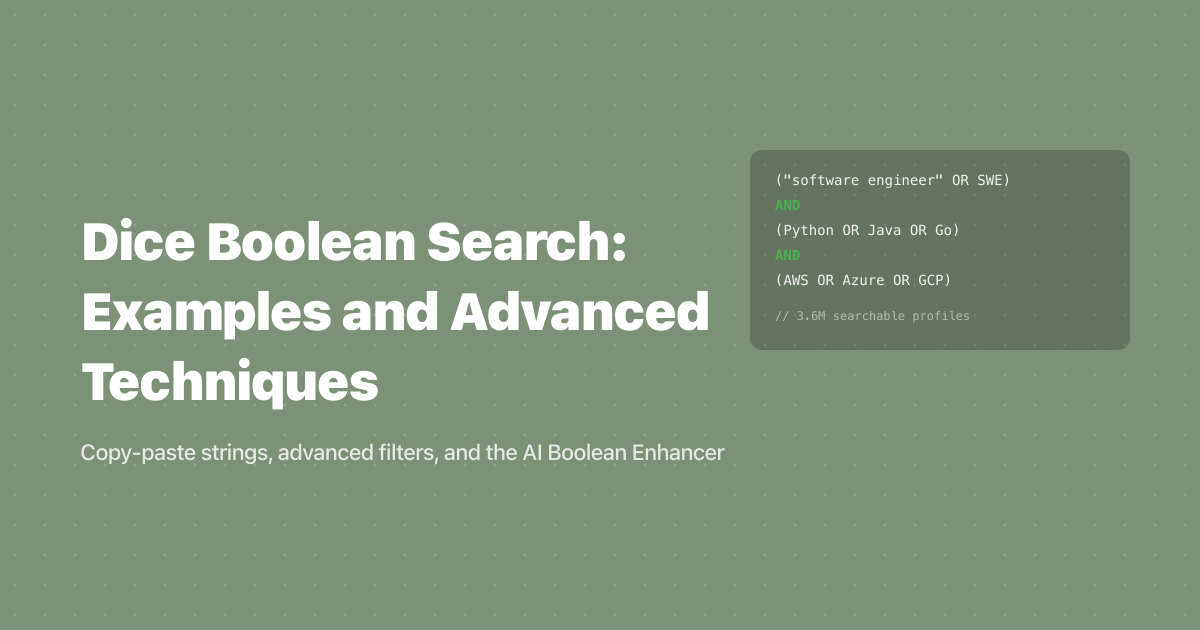
("software engineer" OR "software developer" OR "software architect" OR programmer OR SWE) AND (Python OR Java OR Go OR Rust OR C++) AND (agile OR scrum OR "CI/CD")
This catches five common title variations while filtering for language proficiency and modern development practices. Swap the language group to match your tech stack. Because Dice auto-stems, program would also capture "programmer" and "programming" - but using the full word is clearer and safer. In practice, starting with five or more title variations produces noticeably better results than three.
2. Data Scientist / ML Engineer
("data scientist" OR "ML engineer" OR "machine learning engineer" OR "AI engineer") AND (Python OR R) AND (tensorflow OR pytorch OR "scikit-learn" OR "machine learning") AND (AWS OR Azure OR GCP OR "google cloud")
AI/ML professionals earn a 17.7% salary premium over non-AI peers, according to the Dice 2025 Tech Salary Report. This string casts a wide net across data and AI title variations while requiring both a framework and a cloud platform.
3. DevOps / Site Reliability Engineer
(DevOps OR SRE OR "site reliability" OR "platform engineer") AND ("CI/CD" OR Jenkins OR "GitHub Actions" OR CircleCI) AND (Kubernetes OR Docker OR Terraform OR Helm) AND (AWS OR Azure OR GCP)
DevOps titles vary wildly between companies. This string covers the four most common variations and requires both pipeline tooling and container/orchestration experience. Add NOT manager at the end if you're targeting individual contributors only.
4. Cybersecurity Professional
(cybersecurity OR "cyber security" OR infosec OR "information security") AND (analyst OR engineer OR consultant OR specialist) AND (CISSP OR CISM OR CEH OR OSCP OR "security+") AND (firewall OR "penetration testing" OR SIEM OR "threat detection")
Cybersecurity searches benefit from Dice's work authorization and security clearance filters - features you won't find on most other platforms. After running this string, layer on Dice's security clearance dropdown to narrow results for government or defense contractor roles.
5. Cloud Architect
("cloud architect" OR "solutions architect" OR "cloud engineer") AND (AWS OR Azure OR GCP OR "google cloud" OR "amazon web services") AND (terraform OR "infrastructure as code" OR IaC) AND (microservices OR serverless OR Kubernetes)
Note the inclusion of both "GCP" and "google cloud" - some candidates use one, some the other. The same applies to "AWS" vs. "amazon web services." On Dice, the synonym expansion engine catches many of these variations automatically, but explicitly listing them ensures nothing slips through.
6. Full-Stack Developer
("full-stack" OR "full stack" OR "fullstack") AND (React OR Angular OR Vue OR "Next.js") AND ("Node.js" OR Express OR Django OR Rails) AND (PostgreSQL OR MongoDB OR MySQL)
Full-stack is written three different ways across resumes. This string handles all three while requiring both frontend framework and backend framework experience. Adjust the database group based on your company's stack.
These strings work as starting points. Refine them by adding location terms, experience-level keywords, or certification requirements based on your specific role. For a deeper look at Boolean techniques across all platforms, see our complete Boolean search guide.
Advanced Dice Features That Go Beyond Boolean
Dice's knowledge graph maps 100,000+ unique technology skills and 300,000+ skill-to-title connections, according to a September 2025 DHI Group press release. That infrastructure powers several features that extend far beyond basic Boolean. Here's what most recruiters don't know about.
AI Boolean Enhancer
Launched in September 2025, the AI Boolean Enhancer lets you type simple terms like "senior Python developer, cloud experience" and Dice generates a complex Boolean string using its skill knowledge graph. It's designed for recruiters who know what they want but don't have time to manually construct multi-clause strings.
The Enhancer is most useful when you're sourcing for a role outside your usual domain. If you normally hire frontend developers and suddenly need a network security engineer, the Enhancer fills in the certification names, tool variations, and title synonyms you might not know.
IntelliSearch
IntelliSearch takes a different approach entirely. Instead of writing operators, you paste a full job description and Dice conceptually matches candidates based on semantic analysis. It's particularly strong for niche roles where you're not sure which keywords to target.
When should you use IntelliSearch vs. Boolean? Use Boolean when you know exactly which skills, titles, and certifications matter. Use IntelliSearch when the role is new, cross-functional, or so specialized that you can't predict what keywords successful candidates will have on their profiles.
Search Agents
Save any Boolean string or IntelliSearch query as a Search Agent, and Dice delivers up to 50 matching resumes per day via email. You can run up to 20 Search Agents simultaneously at no extra cost.
This is the feature that separates one-time searches from ongoing pipelines. Set up a Search Agent for every active requisition, and new matching candidates arrive in your inbox each morning without you opening Dice at all.
Compliance and Access Filters
After running a Boolean search, Dice lets you layer on filters that most platforms don't offer. These three are especially valuable for regulated or government-adjacent roles:
- Work authorization - Filter by visa status, U.S. citizenship, or work permit type
- Security clearance - Essential for defense and government contractor roles
- Unbiased sourcing mode - Anonymizes names, backgrounds, and schools for bias-reduced screening
Search Optimization Filters
These filters help you narrow large result sets to a focused shortlist. In practice, combining a precise Boolean string with two or three of these filters cuts a candidate list from hundreds to 20-30 strong matches:
- Salary range - Target candidates within a specific compensation band
- Job-change likelihood - Prioritize candidates who signal openness to new roles
- Last active date - Focus on recently active profiles to avoid stale leads
- Location radius - Default is 50 miles; adjustable for wider or tighter geographic targeting
How Dice Boolean Search Compares to Other Platforms
Dice's 3.6 million searchable tech profiles make it the largest tech-specific candidate database, but it doesn't exist in a vacuum. Most recruiters run searches across multiple platforms. Here's how Dice stacks up for tech recruitment sourcing.
| Feature | Dice | LinkedIn Recruiter | Indeed |
|---|---|---|---|
| AND / OR / NOT operators | ✅ Full support | ✅ Full support | ⚠️ NOT is inconsistent |
| Exact phrase (quotes) | ✅ | ✅ | ✅ |
| Parentheses (grouping) | ✅ | ✅ | ⚠️ Inconsistent |
| Auto-stemming | ✅ Built-in | ❌ | ❌ |
| Synonym expansion | ✅ Knowledge graph | ⚠️ Partial | ❌ |
| AI Boolean enhancement | ✅ | ❌ | ❌ |
| Security clearance filter | ✅ | ❌ | ❌ |
| Work authorization filter | ✅ | ⚠️ Limited | ❌ |
| Tech-specific taxonomy | ✅ 100K+ skills | ❌ General | ❌ General |
Dice wins on tech specificity. Its knowledge graph understands that "React.js," "ReactJS," and "React" are the same skill, while LinkedIn and Indeed treat them as separate keywords. That matters when a single missed synonym can hide dozens of qualified candidates.
But every platform has limits. Dice covers tech talent only. LinkedIn has broader professional coverage. Indeed skews toward active job seekers. And none of them let you search across all three simultaneously.
That's where AI sourcing tools add value. Pin scans 850M+ candidate profiles across all industries and platforms in a single search - no Boolean syntax required. Where Dice gives you 3.6M tech profiles and LinkedIn gives you its professional network, Pin aggregates data from across the web and delivers matched candidates with automated outreach built in. Pin users see a 48% response rate on outreach sequences, and pricing starts at $100/mo with a free tier available.
As John Compton, Fractional Head of Talent at Agile Search, put it: "I am impressed by Pin's effectiveness in sourcing candidates for challenging positions, outperforming LinkedIn, especially for niche roles."
Search 850M+ profiles without writing a single Boolean string.
7 Common Dice Boolean Mistakes (and How to Fix Them)
Even experienced recruiters make these errors on Dice. Each one silently reduces your candidate pool or floods your results with irrelevant profiles. According to Dice's search optimization guide, most low-performing searches trace back to one of these seven problems. Overusing NOT and skipping quotes are the two we see trip up recruiters most often when they switch from LinkedIn to Dice.
1. Using Wildcards When Dice Doesn't Need Them
Dice automatically stems words, so typing develop* adds nothing. In fact, unnecessary wildcards can confuse Dice's parser. Just type develop and let the platform handle the rest. This is the single biggest difference between Dice Boolean and LinkedIn Boolean - on LinkedIn, you'd need to spell out every variation.
2. Mixing Operators Inside One Parenthesis Group
Writing (Java OR Python AND AWS) is ambiguous. Does Dice read it as "(Java) OR (Python AND AWS)" or "(Java OR Python) AND (AWS)"? The answer varies by search engine. Fix it by separating your groups: (Java OR Python) AND (AWS).
3. Forgetting Quotes on Multi-Word Terms
Searching for .net developer without quotes returns profiles mentioning ".net" and "developer" anywhere separately. Searching for ".net developer" returns the exact phrase. The same applies to "machine learning," "full-stack," and any skill with a space, hyphen, or period.
4. Overusing NOT
Adding NOT manager NOT director NOT VP to a string sounds logical, but it eliminates individual contributors whose profiles mention "reporting to the VP of Engineering" or "collaborated with project managers." Remove one NOT at a time and check what comes back.
5. Ignoring IntelliSearch for Complex Roles
For niche or cross-functional positions - say, an ML platform engineer who also handles data governance - manually constructing a Boolean string often misses edge cases. Pasting the full job description into IntelliSearch sometimes outperforms handcrafted Boolean because it conceptually matches related skills you didn't think to include.
6. Not Saving Searches as Search Agents
A refined Boolean string you don't save disappears the moment you close the tab. Save every working string as a Search Agent to get daily email alerts with up to 50 new matching profiles. There's no reason not to - Dice supports 20 simultaneous agents.
7. Writing Operators in Lowercase
Dice is more forgiving than LinkedIn, but best practice is always uppercase: AND, OR, NOT. Lowercase and, or, not may be interpreted as regular search terms on some platform views, returning completely different results.

A Step-by-Step Dice Boolean Workflow
Knowing the operators isn't enough - you need a repeatable process. Here's a workflow that takes a role from open requisition to daily candidate flow in under 30 minutes. This approach works whether you're sourcing one position or running 15 searches across multiple clients.
Step 1: Break the Role Into Boolean Groups
Start with four categories: title variations, required skills, preferred qualifications, and exclusions. Write each as a parenthetical group.
For a senior backend engineer role, that might look like:
- Titles:
("backend engineer" OR "back-end engineer" OR "server-side developer" OR "backend developer") - Required skills:
(Java OR Go OR Python OR Rust) - Preferred qualifications:
(microservices OR "distributed systems" OR Kafka OR "event-driven") - Exclusions:
NOT intern NOT "entry level"
Step 2: Combine With AND
Chain your groups together: (titles) AND (required) AND (preferred) NOT (exclusions). Paste the full string into Dice's search bar and run it. Review the first 20-30 results to check relevance before refining. If you're seeing too many irrelevant profiles, tighten the required skills group. If you're seeing too few results, loosen the preferred qualifications or remove one NOT clause.
Step 3: Layer Dice Filters
After the initial results load, apply location radius, work authorization, and last-active-date filters. If you're filling a cleared role, add the security clearance filter. Start with one or two filters and add more only if the result set is still too broad. This typically narrows several hundred results to 20-50 strong matches - a manageable shortlist you can review in a single session.
Step 4: Save as a Search Agent
If the results look strong, save the search as a Search Agent. New matching profiles will arrive via email daily. Don't skip this step - the best Dice searches are the ones that keep working after you close the tab.
Step 5: Try the AI Boolean Enhancer as a Cross-Check
Type the role description in plain language into the AI Boolean Enhancer and compare its generated string to yours. If the Enhancer includes skills or synonyms you missed, add them to your manual string. Think of it as a peer review for your search logic.
When Dice Boolean Isn't Enough
Dice Boolean search is powerful for tech-specific candidate sourcing, but it has real limits. The database covers technology professionals only - if you're hiring a VP of Marketing, a sales director, or a healthcare administrator, Dice won't help. And even within tech, 3.6 million searchable profiles is a fraction of the total addressable market.
Boolean also requires you to know what to search for. If you misjudge which skills matter for a role, or miss a title variation, the best-constructed string still returns the wrong candidates. That's a structural limitation of keyword-based search - it matches text, not intent.
AI-powered sourcing tools take a different approach. Instead of making you build Boolean strings, they analyze a role description and match it against hundreds of millions of profiles simultaneously. Pin's AI searches 850M+ profiles with natural-language understanding, handles synonym mapping automatically, and delivers matched candidates with contact information and automated outreach sequences.
Pin starts at $100/mo with a free tier - no credit card required. For recruiters who source across multiple industries or need to fill non-technical roles alongside their tech hiring, combining Dice Boolean for tech depth with an AI platform like Pin for breadth and automation covers both bases.
For a broader look at how AI is reshaping candidate discovery techniques, including X-ray search and semantic search, that guide covers the full landscape of modern sourcing methods.
Find candidates across all industries with Pin's AI - free to start.
Frequently Asked Questions
Does Dice support wildcard searches?
No, and you don't need them. Dice automatically stems keywords, so searching develop returns developer, developing, and development without an asterisk. This is a Dice-specific feature - LinkedIn and Indeed don't auto-stem, which is why recruiters accustomed to other platforms often add unnecessary wildcards on Dice.
What is Dice's AI Boolean Enhancer?
The AI Boolean Enhancer is a Dice tool, launched September 2025, that converts plain-language role descriptions into structured Boolean strings using Dice's knowledge graph of 100,000+ technology skills (DHI Group, 2025). Type "senior Python developer with cloud experience" and it generates a multi-clause string with title variations, skill synonyms, and certification terms.
How many profiles can I search on Dice?
Dice holds 3.6 million searchable profiles, each with a resume, job title, work authorization, email, and skills data - with 99% completeness across those fields (Dice, 2026). The broader Dice network includes 10M+ tech professionals. For comparison, AI sourcing platforms like Pin search 850M+ profiles across all industries.
Should I use IntelliSearch or Boolean on Dice?
Use Boolean when you know exactly which skills, certifications, and titles matter. Use IntelliSearch when the role is niche, cross-functional, or new to you - IntelliSearch conceptually matches candidates based on a pasted job description, catching related skills you might not have included in a manual string.
Can I combine Boolean search with Dice's filters?
Yes, and you should. Run your Boolean string first, then layer on Dice's platform-specific filters: work authorization, security clearance, salary range, job-change likelihood, location radius, and last-active date. Combining Boolean with two or three filters typically narrows results from hundreds to a focused shortlist of 20-50 candidates.
Key Takeaways
- Dice Boolean search uses AND, OR, NOT, quotes, and parentheses - but doesn't need wildcards thanks to built-in auto-stemming
- Structure every string as parenthetical groups connected by AND: (titles) AND (skills) AND (qualifications)
- Dice's AI Boolean Enhancer (September 2025) generates complex strings from plain-language input - useful as a starting point or cross-check
- Save every working search as a Search Agent to receive up to 50 new matching profiles daily
- Combine Boolean strings with Dice-specific filters like security clearance, work authorization, and job-change likelihood
- Dice covers 3.6M tech profiles - for broader, cross-industry sourcing across 850M+ profiles, AI tools like Pin handle matching and outreach automatically